
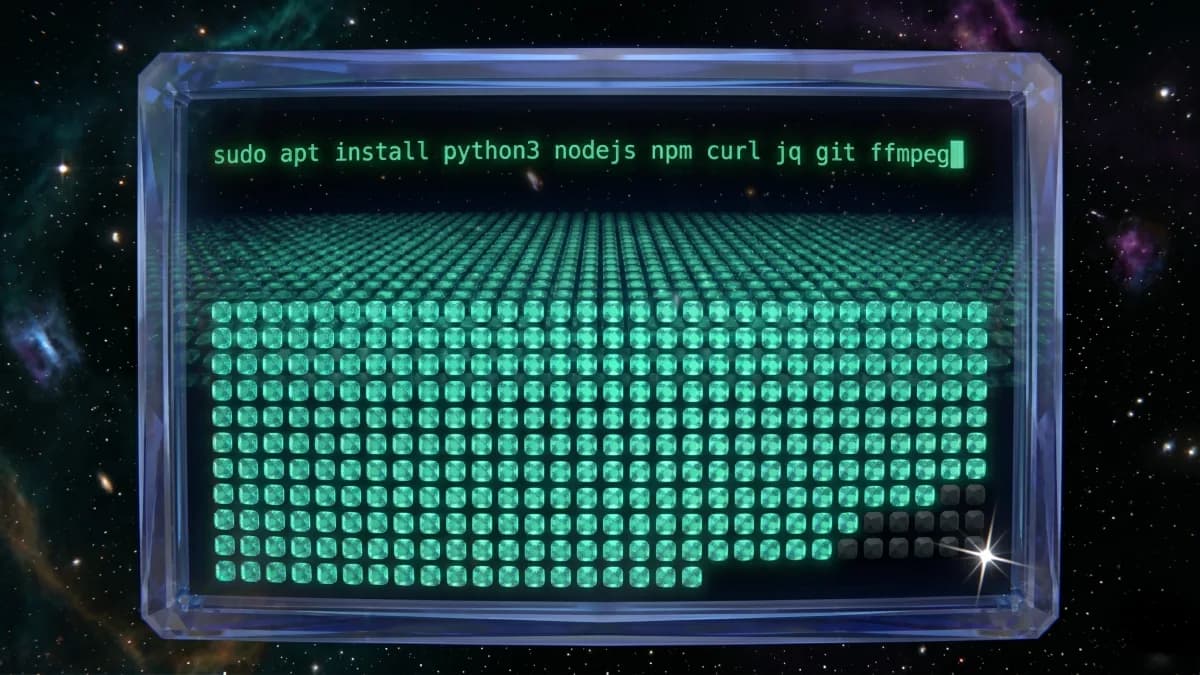
One apt Command Covers 97% of OpenClaw Skills on Linux. Here's the Full Map.
We scanned all 6,993 public OpenClaw skills and resolved every declared binary dependency against a Linux install map. One apt line covers 6,784 of them. Full taxonomy, macOS-only residual with named Linux replacements, open dataset.
Most OpenClaw community documentation assumes a Mac. Setup guides use Homebrew. Sample skills shell out to pbpaste and osascript. The registry does not warn you when a skill declares a macOS-only binary. You install it, it runs, and it returns nothing useful the first time it hits pbpaste on a server.
To find out how deep that problem goes, we scanned all 6,993 public skills in openclaw/skills, parsed each SKILL.md, and resolved every declared binary dependency against a verified Linux install map. One apt line covers 6,784 of 6,993 skills: 97.0% of the catalog. The remaining 3% splits into pip-installable tools, curl install scripts, and about 10 skills that genuinely cannot run on Linux.
The line
sudo apt install python3 python3-pip nodejs npm curl jq git ffmpeg sqlite3 openssl ripgrepNo Homebrew. No uv. No Docker. No language managers. The Debian/Ubuntu package manager you already have.
This covers Ubuntu 22.04, Ubuntu 24.04, and Debian 12 (bookworm) completely. On Alpine, Arch, or RHEL, translate the package names. The set is the same.
82.6% of skills declare zero binary dependencies. They need nothing beyond Python and Node, which the apt line covers. The top declared dependencies across the 1,216 skills that do declare binaries:
| Binary | Skills | Install |
|---|---|---|
python3 | 536 | apt install python3 |
curl | 313 | apt install curl |
node | 178 | apt install nodejs |
jq | 78 | apt install jq |
python | 45 | symlink to python3 |
npx | 32 | ships with nodejs |
bash | 30 | preinstalled |
npm | 28 | apt install npm |
git | 21 | apt install git |
ffmpeg | 19 | apt install ffmpeg |
Everything at the head of this list is preinstalled or one apt away.
Beyond the apt line
About 3% of the catalog declares a binary the apt line does not cover. That tail breaks into three groups.
Pip-installable tools: yt-dlp, pipx, uv, poetry, ruff. One pip install each. Already covered if you included python3-pip in the apt line.
Curl install scripts: uv, bun, Foundry's cast:
curl -LsSf https://astral.sh/uv/install.sh | sh    # uv + uvx
curl -fsSL https://bun.sh/install | bash           # bun
curl -L https://foundry.paradigm.xyz | bash        # cast + Ethereum tooling
Direct downloads: gh (GitHub CLI) and mcporter. Standard release tarballs from their respective repos.
Once you subtract these, the genuine residual is small: about 10 skills that cannot run on Linux regardless of what you install.
What you cannot get on Linux
Four skills require macOS desktop applications and have no equivalent in the catalog.
Desktop automation (AppleScript/osascript):
- Airfoil (2,096 installs): controls AirPlay speakers. Requires the Airfoil macOS app.
- Photoshop Automator (1,123 installs): runs Adobe Photoshop ExtendScript on a Mac.
- Nerve Bridge Skill (591 installs): controls the Trae macOS app via AppleScript.
- wallpaper-auto-switch-pro-executable (249 installs): switches macOS wallpaper via
osascriptandlaunchd.
Six more skills use pbpaste to read clipboard input. The clipboard mechanism is Mac-specific; the underlying capability is not. Each has a named replacement in the catalog that covers the same task with file input.
| Mac skill | Installs | Linux replacement | Notes |
|---|---|---|---|
reply-coach | 280 | copy-editing | File-based text rewrite |
reviewer-rebuttal-coach | 255 | copy-editing | Swap pbpaste for file input |
collab-offer-polisher | 253 | medical-email-polisher | Closest match for polishing business messages |
policy-to-checklist | 248 | afrexai-qa-test-plan | Document-to-checklist generator |
claim-risk-auditor | 244 | verify-claims | Direct claim/fact-check equivalent |
rubric-gap-analyzer | 244 | afrexai-interview-architect | Rubric-based scoring, file input |
That is the entire genuine residual. The broader set of 241 skills blocked by the apt line spans capabilities like Ethereum tooling, browser automation, video processing, and calendar sync. Every one of those categories has Linux-native alternatives in the same catalog. The live browser at vesselofone.com/skills/openclaw lets you filter by capability and find them.
TL;DR
- One apt line covers 6,784 of 6,993 public OpenClaw skills on Linux (97.0%):
sudo apt install python3 python3-pip nodejs npm curl jq git ffmpeg sqlite3 openssl ripgrep - 82.6% of skills declare zero binary dependencies. They need nothing beyond what the apt line provides.
- The remaining ~3% splits into pip-installable tools, curl install scripts, and 10 Mac-only skills.
- 4 skills require macOS desktop apps (Airfoil, Photoshop Automator, Nerve Bridge Skill, wallpaper switcher) and have no Linux equivalent. 6 pbpaste skills have named Linux replacements in the catalog.
- The scan script is open source and reruns against the live catalog in about five minutes.
Installing is not the same as working
Knowing that 97% of skills resolve their binary dependencies on Linux is useful before you spend time setting up an agent. It does not tell you whether those skills produce correct output, or what security risks they carry. The full research (security scan and classified user complaint data alongside this installability view) is at vesselofone.com/research/ai-agent-skills-ecosystem.
Per-skill dataset (CSV, CC BY 4.0): doi.org/10.5281/zenodo.19691714. Scan scripts (MIT): github.com/vesselofone/openclaw-skills. The catalog scan reruns in about five minutes.
A free per-skill auditor covering SKILL.md intent, OAuth scope width, and shell-command injection patterns: vesselofone.com/tools/skill-check.
Vessel is managed OpenClaw hosting on private Linux VMs. We run the apt line above at provision time on every agent, so skills work on the first invocation. The scan script and dataset are open source.